
AI Document Processing: Turning PDFs, Emails, and Forms Into Data
Most businesses do not have a data shortage. They have valuable information trapped inside PDFs, email attachments, scanned forms, invoices, onboarding packs, claims, and supplier documents. AI document processing turns that trapped work into structured data teams can actually use.
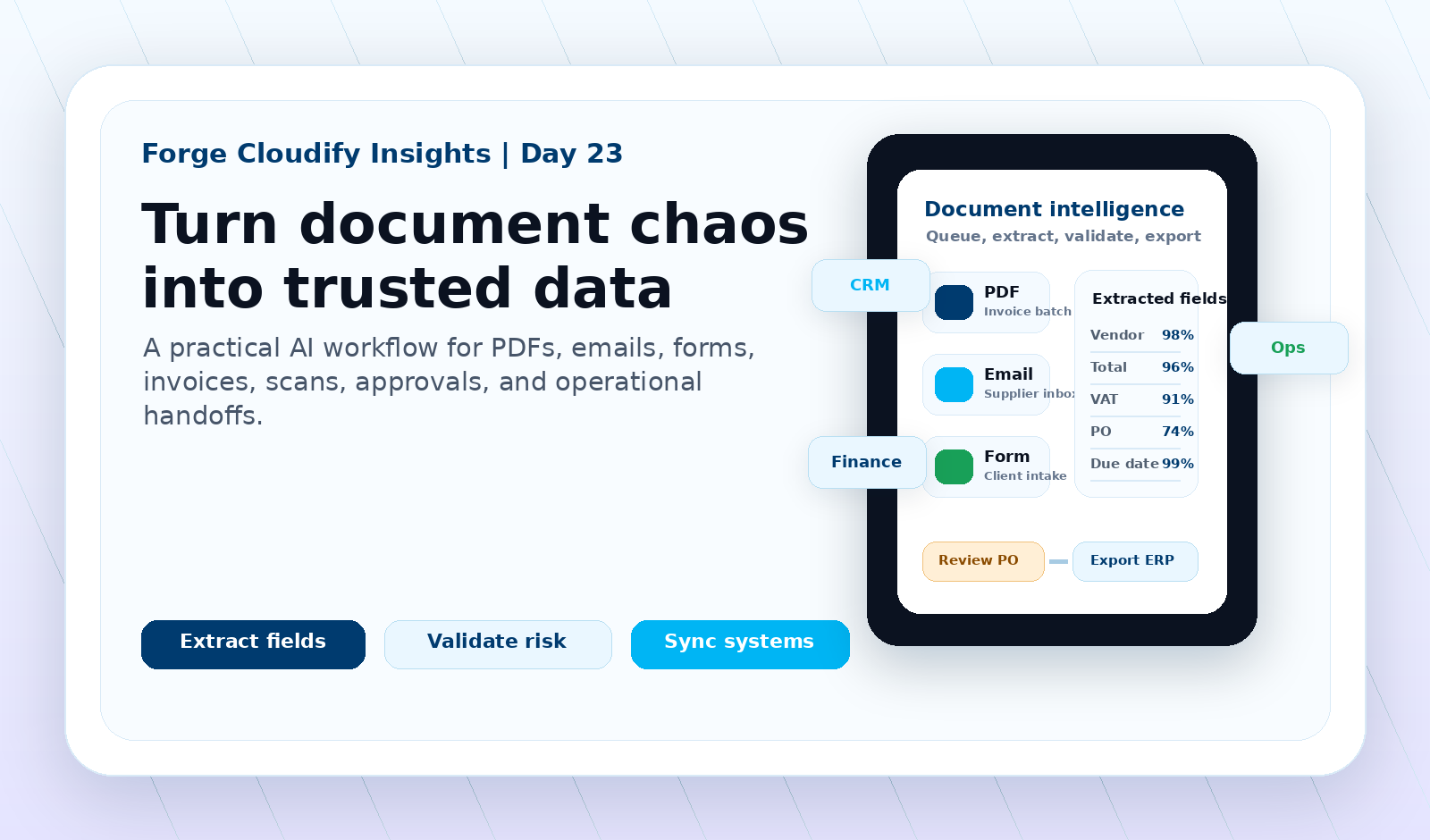
Direct answer: what AI document processing does
AI document processing turns PDFs, emails, scans, forms, and attachments into structured business data by combining OCR, classification, extraction, validation, and workflow integration. The safest systems keep humans in the loop for low-confidence fields, apply business rules, and send approved data into CRM, ERP, finance, or operations tools.
Documents are often the hidden bottleneck
Many UK businesses already automate obvious digital steps, but still lose hours when staff read documents, copy fields into spreadsheets, rename attachments, chase missing details, and rekey the same information into finance, CRM, ERP, or operations software. The work feels ordinary, so it often escapes roadmap attention.
Forge Cloudify sees document AI as an operations project first and an AI project second. The goal is not to impress people with extraction demos. The goal is to create a reliable document-to-data workflow that reduces manual handling, keeps exceptions visible, and gives teams a cleaner way to move work forward.
Where AI document processing creates value
Invoice and finance intake
Extract supplier names, totals, VAT, purchase orders, due dates, line items, and approval status before sending validated records into accounting or ERP tools.
Customer onboarding
Turn application forms, ID documents, contracts, uploaded PDFs, and supporting evidence into structured onboarding records with fewer manual checks.
Email attachment workflows
Monitor shared inboxes, classify attachments, pull out key fields, flag missing information, and route documents to the right team or system.
Operations and logistics
Process delivery notes, job sheets, compliance forms, stock documents, and service reports so operational systems update faster and with fewer rekeying errors.
Claims and case processing
Classify document packs, extract case details, connect related evidence, and highlight low-confidence or inconsistent fields for review.
Reporting and audit trails
Keep a record of source documents, extracted fields, corrections, approvals, and export events so teams can explain where data came from.
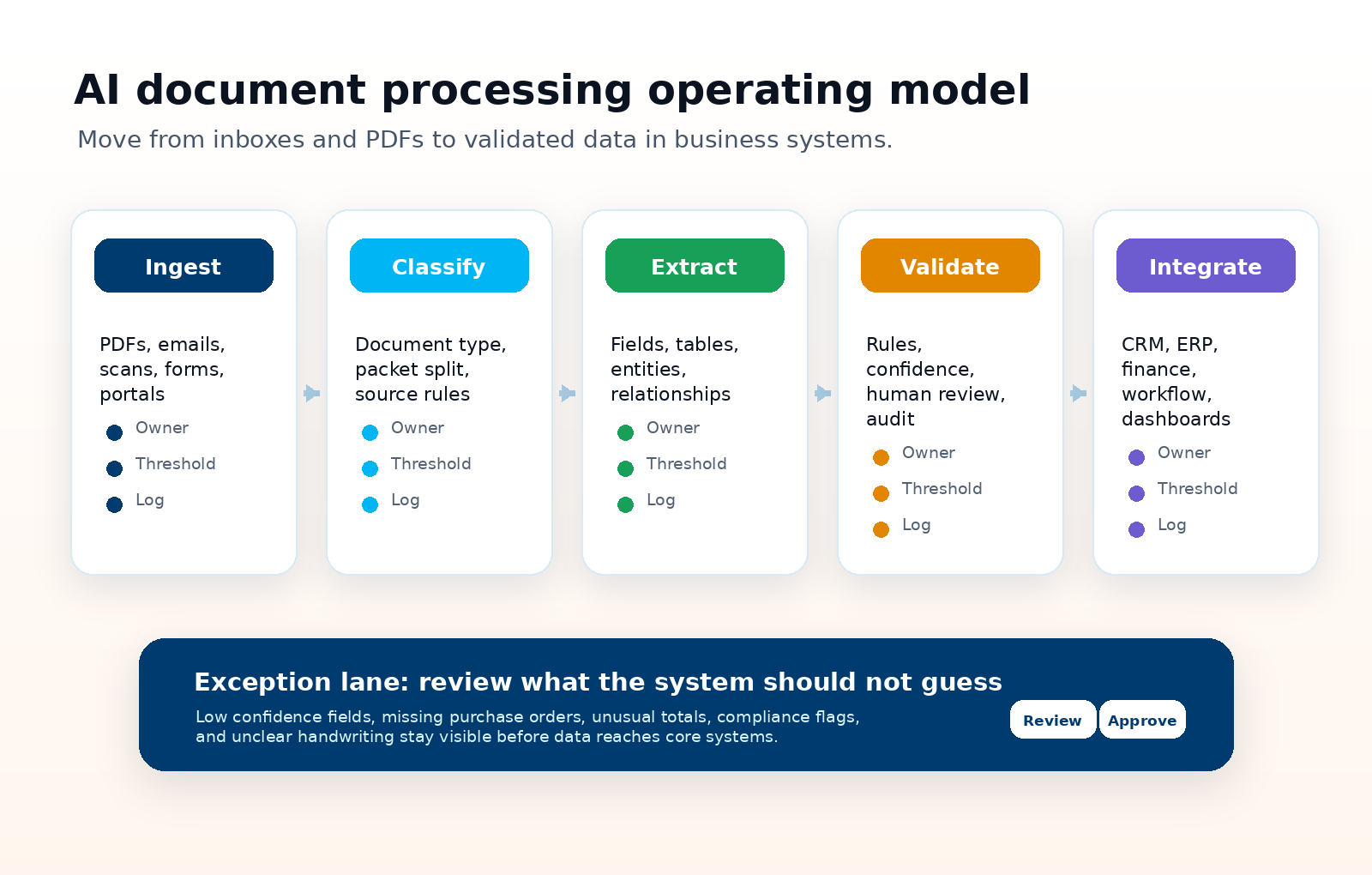
Document AI readiness checklist
Forge Cloudify’s document AI process
A useful document workflow needs engineering discipline around intake, extraction, validation, integrations, and ongoing improvement. The safest version starts narrow, proves value, then expands across more document types.
Map documents and decisions
We identify document sources, business owners, approval steps, field definitions, exception rules, security needs, and the systems that need approved data.
Design the extraction pipeline
We combine OCR, classification, table extraction, language model prompts, field schemas, confidence thresholds, and validation rules around the workflow.
Build review and integration
We create review screens, correction loops, API exports, webhooks, dashboard views, and audit trails so extracted data can be trusted and used.
Measure and improve
We track accuracy, exception rate, cycle time, field-level corrections, user feedback, and integration reliability to improve the system after launch.
Tool-only automation vs custom workflow
| Approach | Best fit | Watch out for |
|---|---|---|
| Off-the-shelf IDP tool | Known document types, standard invoices or forms, simple approval steps, and teams that can adapt their process to the product. | May struggle when documents vary heavily, integrations are unusual, or the business needs custom exception handling. |
| Custom AI workflow | Unique document packs, mixed emails and PDFs, strict validation, internal portals, CRM or ERP integration, and workflows that need review screens or audit logic. | Needs careful scoping, data security, monitoring, and ownership so the system stays reliable after launch. |
| Hybrid model | A document AI platform handles extraction while custom software controls intake, review, integrations, dashboards, and business-specific rules. | Requires disciplined API design and clear responsibility between the vendor tool and your own workflow layer. |
How to choose the first document workflow
Start with a document process that is frequent, repetitive, measurable, and painful enough that improvement will be noticed. Good first candidates include invoice intake, supplier onboarding, customer forms, sales order emails, compliance packs, or support documents that staff currently copy into systems by hand.
Avoid starting with the messiest edge case in the company. A narrow first workflow creates the confidence, field examples, review habits, and integration pattern needed to handle harder documents later.
Need documents turned into usable business data?
Forge Cloudify can help design and build AI document processing workflows that capture PDFs, emails, forms, and scans, validate extracted data, and connect the result to the tools your team already runs on.
Frequently asked questions
What is AI document processing?
AI document processing is the use of OCR, machine learning, language models, rules, and integrations to classify documents, extract useful fields, validate data, and send approved information into business systems.
Which documents can AI process?
AI can process many common business documents including invoices, purchase orders, customer forms, contracts, onboarding packs, delivery notes, support emails, claim forms, PDFs, scans, and spreadsheet attachments.
Is AI document processing accurate enough for business use?
It can be, but accuracy depends on document quality, field definitions, validation rules, confidence thresholds, and human review. High-risk fields should be checked before data reaches finance, compliance, or customer workflows.
Do we need a custom AI document processing system?
A standard tool may be enough for simple invoices or forms. A custom system makes sense when documents vary, workflows are unique, approvals are complex, or extracted data must integrate deeply with CRM, ERP, finance, or internal software.
Can Forge Cloudify build an AI document workflow?
Yes. Forge Cloudify can design document intake, extraction, validation, review screens, API integrations, dashboards, and secure cloud workflows for UK businesses that want documents turned into usable data.
Related services: AI Development, API Integration, Software Development, Cloud & DevOps, Project Estimate, and All Forge Cloudify Services.