
ERP Integration: How to Connect Finance, Sales, Stock, and Operations
A practical guide to connecting finance, CRM, stock, fulfilment, and operational tools so your business runs on cleaner data instead of repeated manual updates.
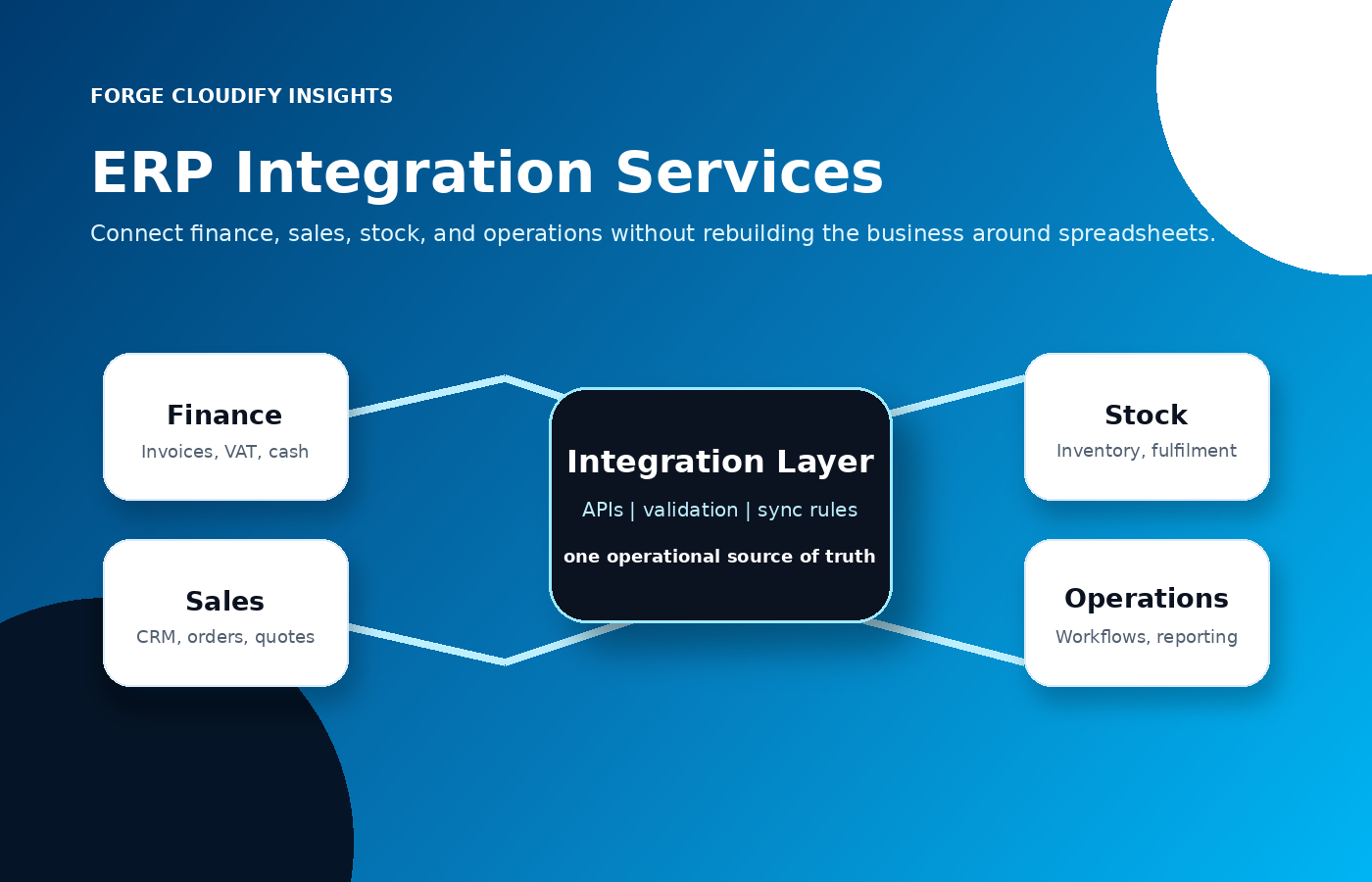
Direct answer: what does ERP integration actually do?
ERP integration connects finance, sales, stock, and operations by letting systems share trusted data through APIs, middleware, validation rules, and monitored workflows. The goal is not just syncing records. It is reducing duplicate entry, improving stock and cash visibility, and giving teams one reliable operational picture. For UK companies, the practical value is simple: fewer spreadsheet handovers, clearer VAT and finance data, faster order handling, and less confusion when teams need the same information at the same time.
Six workflows ERP integration should connect
Finance and accounting
Invoices, payments, purchase orders, VAT records, credit notes, and cash reporting need clean handover between the ERP, accounting platform, and bank or payment systems. HMRC digital record expectations make reliable data flow especially important for VAT-registered businesses.
Sales and CRM
Quotes, customer records, deals, subscriptions, and order status should not be retyped into finance or fulfilment systems. A good integration keeps sales teams informed without giving them unsafe access to back-office controls.
Stock and warehouse
Stock counts, allocations, returns, back-orders, and fulfilment updates are where small data delays become visible to customers. Integration helps teams avoid overselling, duplicate picking, and late manual corrections.
Operations workflows
ERP integration can trigger approvals, work orders, procurement steps, service tickets, customer notifications, and dashboard updates so operational teams work from the same process rather than separate spreadsheets.
External platforms
Ecommerce, logistics, payment gateways, supplier portals, customer support tools, and reporting platforms often sit outside the ERP. APIs or middleware can connect them while keeping business rules central and observable.
Governance and reporting
The integration layer should log what happened, who changed what, which records failed validation, and which exceptions need review. This is where ERP integration becomes a management system, not just a data pipe.
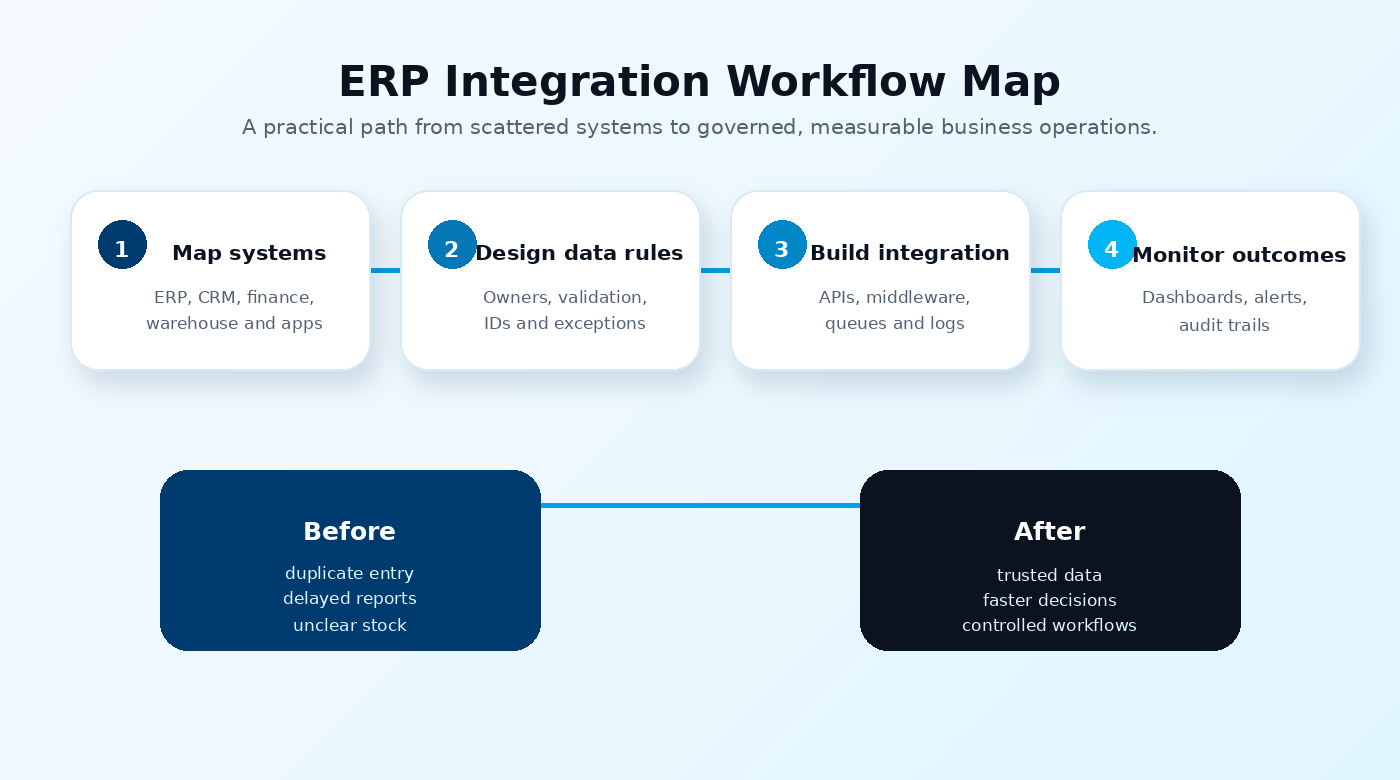
ERP integration readiness checklist
Forge Cloudify’s ERP integration process
We treat ERP integration as a business workflow project first and a technical connection second. The strongest results come when system architecture, data ownership, security, and team behaviour are designed together.
Map the operational journey
We identify where finance, sales, stock, and operations create or change data, then mark the points where manual work, delays, or reporting gaps cost the business time.
Design the integration architecture
We choose the right pattern: direct APIs, middleware, event queues, scheduled syncs, custom connectors, or a phased hybrid. The decision depends on reliability needs, API maturity, cost, and long-term support.
Build, test, and secure the flow
We create the connector logic, transformation rules, authentication, access controls, logging, retry behaviour, and test cases before the integration touches critical live workflows.
Launch with monitoring
After rollout, we watch sync health, exceptions, user feedback, and reporting accuracy. This keeps the integration useful as products, teams, suppliers, and customer channels change.
ERP integration approaches compared
| Approach | Best fit | Main risk |
|---|---|---|
| Point-to-point API links | Useful for a small number of stable systems with clear ownership, simple data flows, and well-documented APIs. | Can become hard to maintain when every new system needs a custom connection to every other system. |
| Middleware or integration layer | Better for growing businesses with multiple systems, exception handling, retries, transformations, monitoring, and audit requirements. | Needs proper architecture and governance so the middleware does not become another unclear system nobody owns. |
Where ERP integration projects usually fail
The common mistake is treating integration as a quick connector job. If customer IDs, product codes, tax rules, permissions, and exception ownership are unclear, the integration simply moves messy data faster. Strong ERP integration starts with business rules, then uses APIs and automation to enforce them consistently.
Need ERP integration without operational chaos?
Forge Cloudify can help you connect ERP, finance, CRM, ecommerce, stock, reporting, and workflow tools with a practical integration plan that respects your current operations and future growth.
Frequently asked questions
What is ERP integration?
ERP integration connects an enterprise resource planning system with other business tools such as CRM, ecommerce, warehouse, finance, payment, support, and reporting platforms. It allows data to move between systems with rules, validation, security controls, and audit trails.
Which systems should a business connect to its ERP first?
Start with the systems that create the most duplicate work or decision risk. For many UK businesses this means finance, CRM or ecommerce orders, stock or warehouse tools, fulfilment, payments, and management reporting.
Is ERP integration better than replacing every system?
Often, yes. If the current systems still support useful workflows, integration can reduce manual work without forcing a costly full replacement. Replacement makes sense when the existing system blocks core operations, security, reporting, or growth.
How long does ERP integration take?
A focused integration can take a few weeks, while a multi-system ERP programme can take several months. The timeline depends on API quality, data cleanliness, security requirements, testing, exception handling, and how many teams rely on the workflow.
Can Forge Cloudify help with ERP integration?
Yes. Forge Cloudify can map your systems, design the integration architecture, build APIs or middleware, automate workflows, set up monitoring, and help teams move from manual spreadsheets to clearer operational systems.
Related services: AI Development, Software Development, Cloud & DevOps, and All Forge Cloudify Services.